
Uploading Videos
This article runs you through how to upload a video to the efficialtec video platform
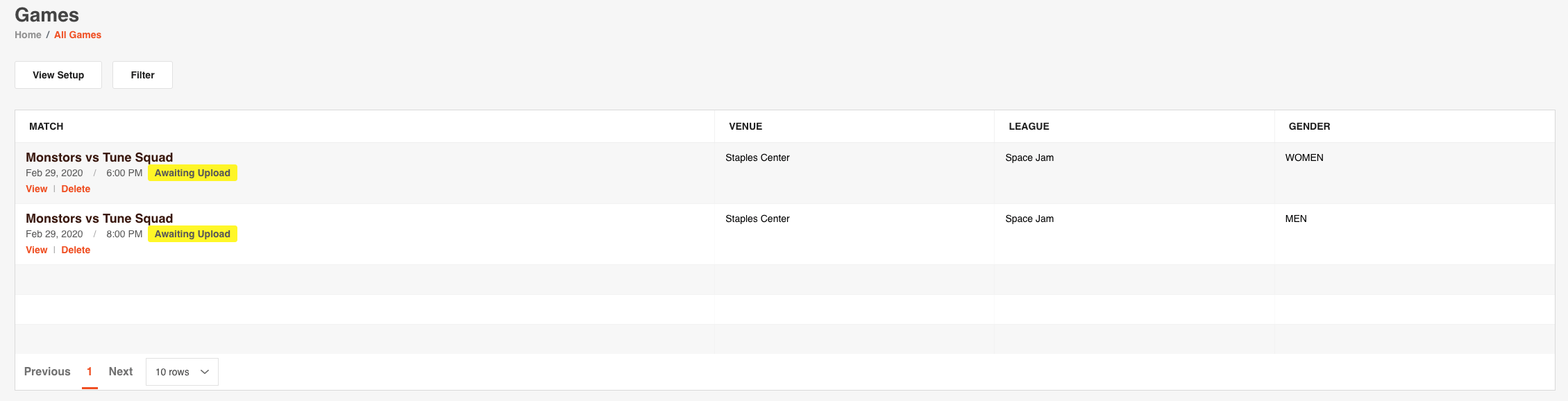
To upload a video to the efficialtec video platform, simply navigate to the games page from the left menu.

Navigate to the game you are seeking to upload your video to, then click on the view button.

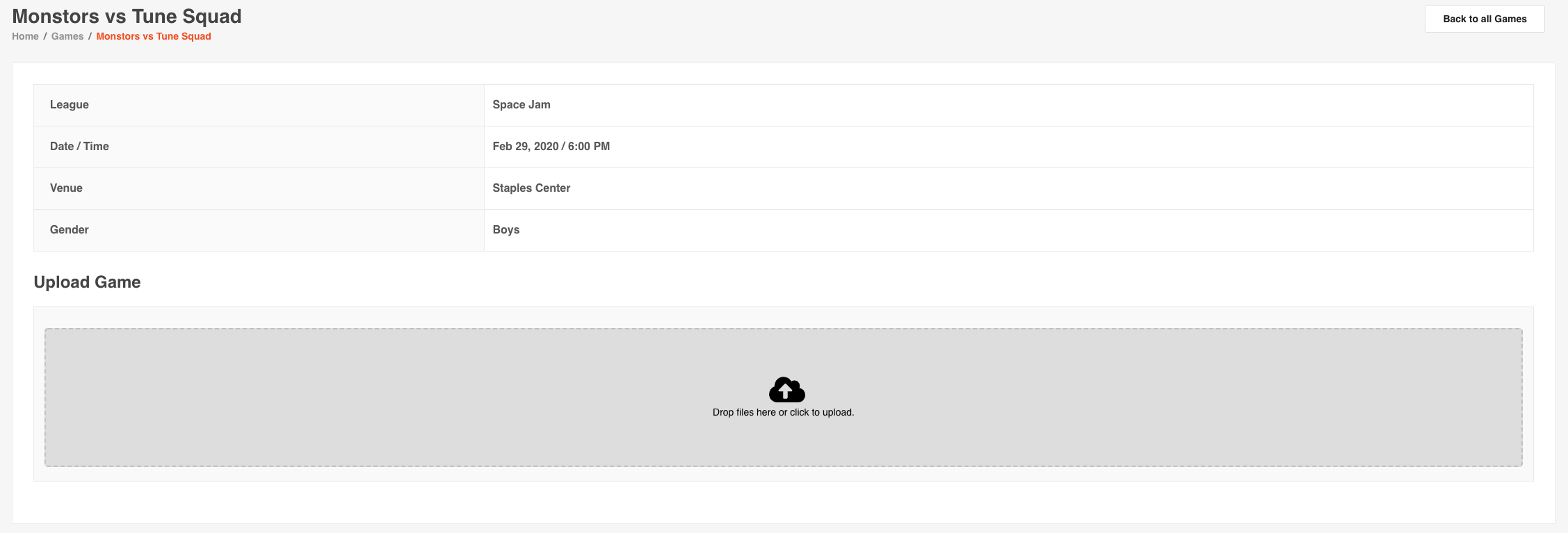
To upload the file, you can then click the cloud and select the file or drag and drop the file to the cloud area.
The page will then update to show the size and progress of the upload. You can cancel the upload by clicking on the 'Cancel upload' link. DO NOT EXIT THIS PAGE UNTIL UPLOAD IS COMPLETE.

The progress bar will provide a live update on the status of the upload, DO NOT EXIT OR NAVIGATE AWAY FROM THIS PAGE UNTIL UPLOAD IS COMPLETE.

You will receive the below message when the upload is complete and you can then navigate away from the page.

You have successfully uploaded your game. Your organization and fellow teams can now download the game.